
How to add your Business or Organisation
Thank you for your interest in adding your business or organisation to The Latin Directory!
We are continually improving our website and features however if you are having trouble navigating how to add your business or organisation to the page then we hope this page will show you how to do it.
IMPORTANT: If you require any help with creating or editing your listing, please email us at hola@thelatindirectory.com.au and our support team will help you.
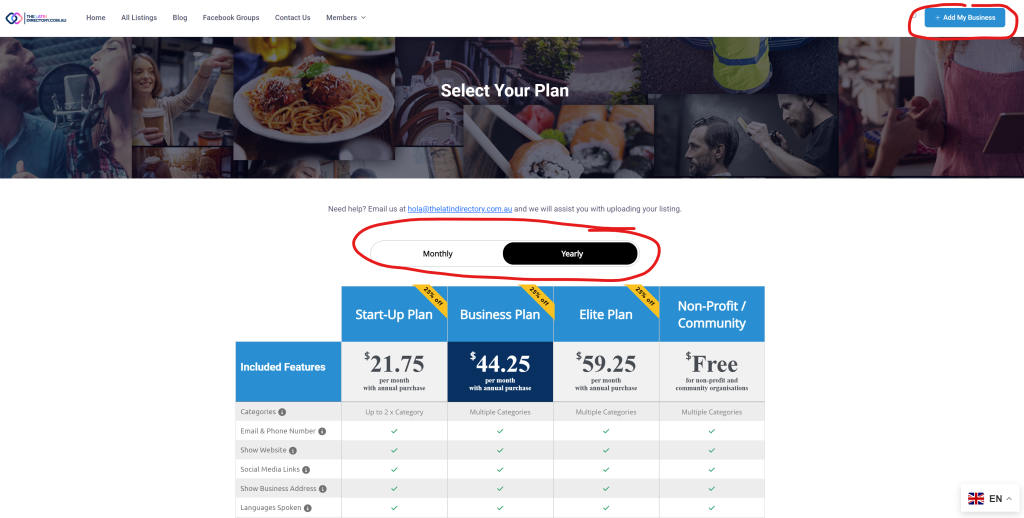
- Click the “+Add My Business” Button
- Select from Monthly or Yearly payments
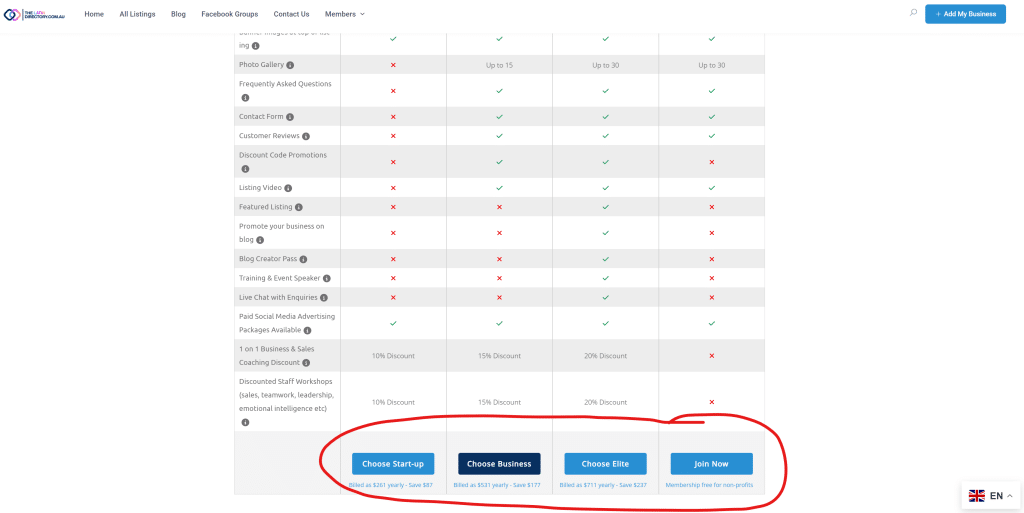
- Select which plan you want to purchase. Note that you will receive a discounted price when you purchase an annual package and pay yearly.
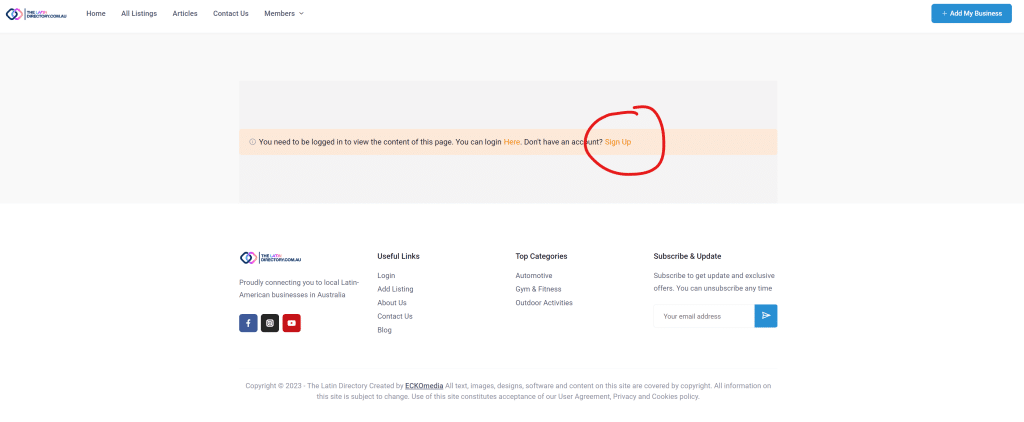
- If you are not yet a member of The Latin Directory, you will be required to create a login before you can create your business profile. You won’t be required to create a new membership if you add additional businesses or organisations later.
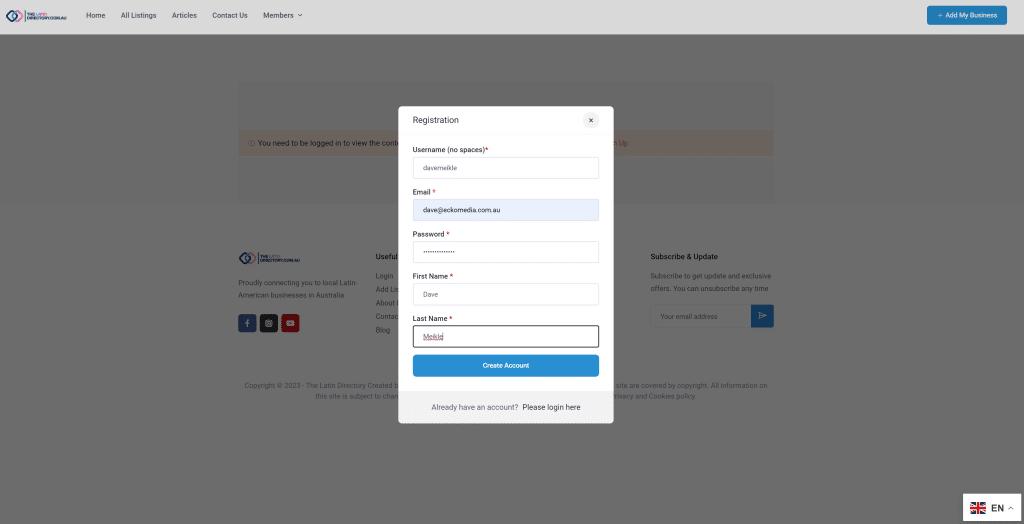
- Fill in the form. Username must not include any spaces. Username can also be your email address. Click “Create Account” when ready.
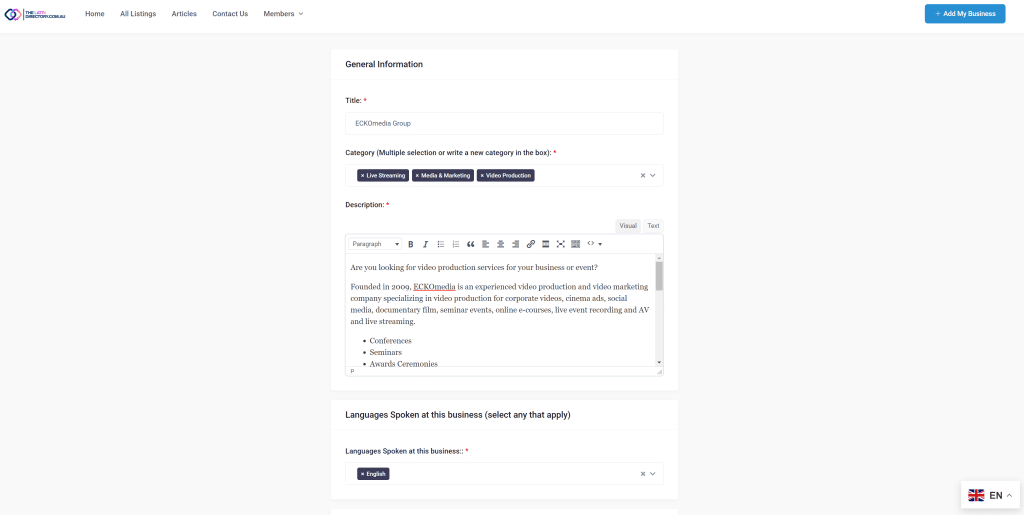
- Once your new login has been created, you will see the add listing form.
- Add business name and description **Please use ENGLISH here so our website can translate your listing properly**
- Add categories that match your business type. You can add a new category if you can’t see your category by typing in the box.
- Add languages are spoken at the business.
- IMPORTANT: You can edit all this information later after payment and add additional details once you have completed the signup process if you need to come back to edit or add anything.
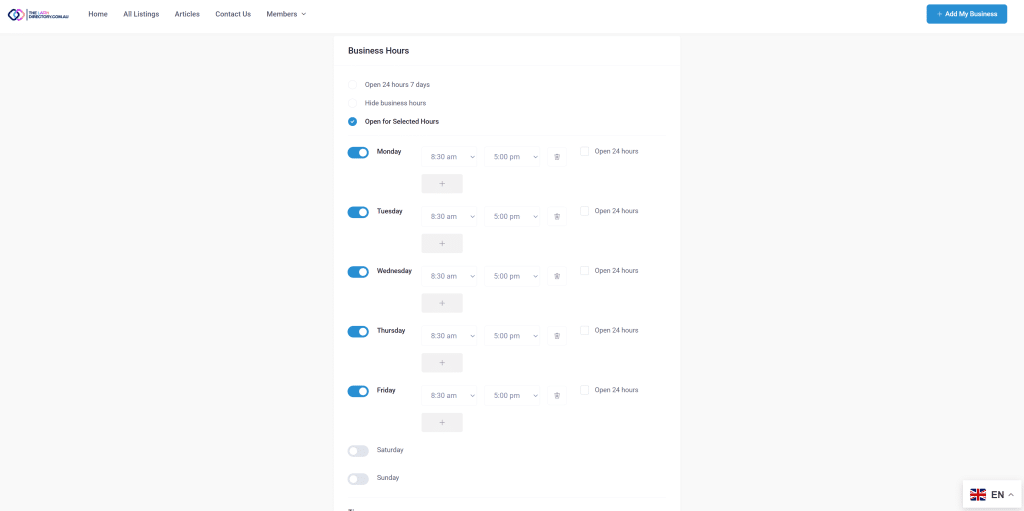
- Add business days and opening hours
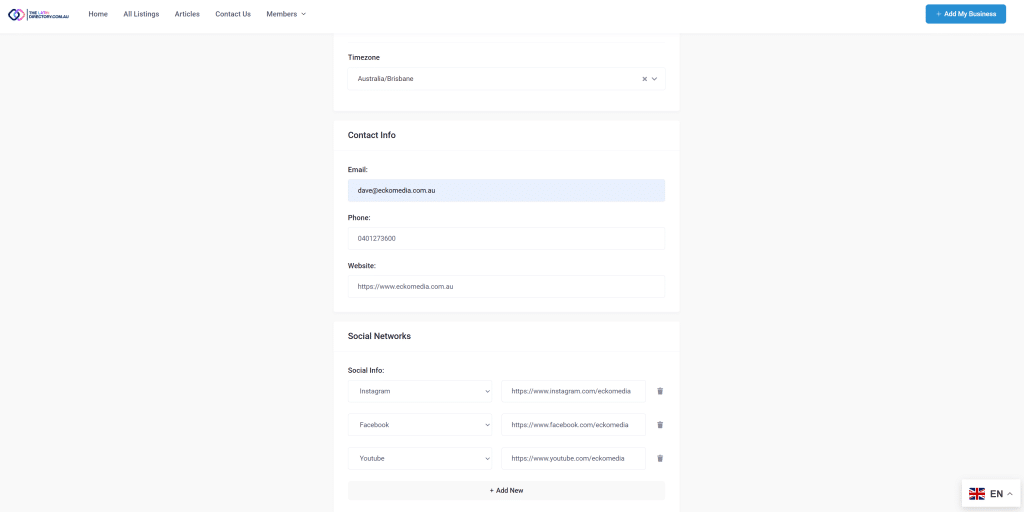
- Add Contact Information and Social Media Networks
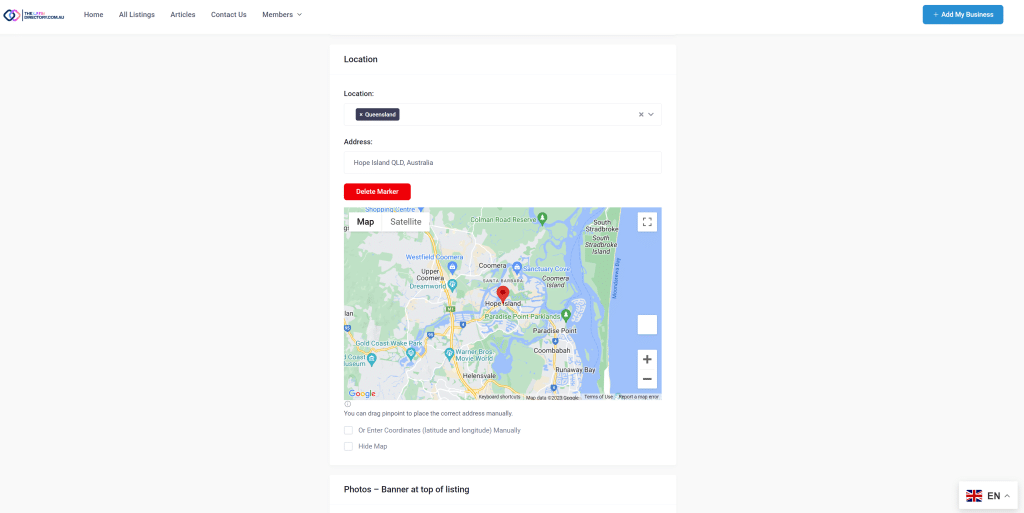
- Add which States the business services. You can add multiple locations if you service multiple States if you plan allows this.
- Add your business address. Click the red “Delete Marker” button if required to reset the pin location or enter business location coordinates manually.
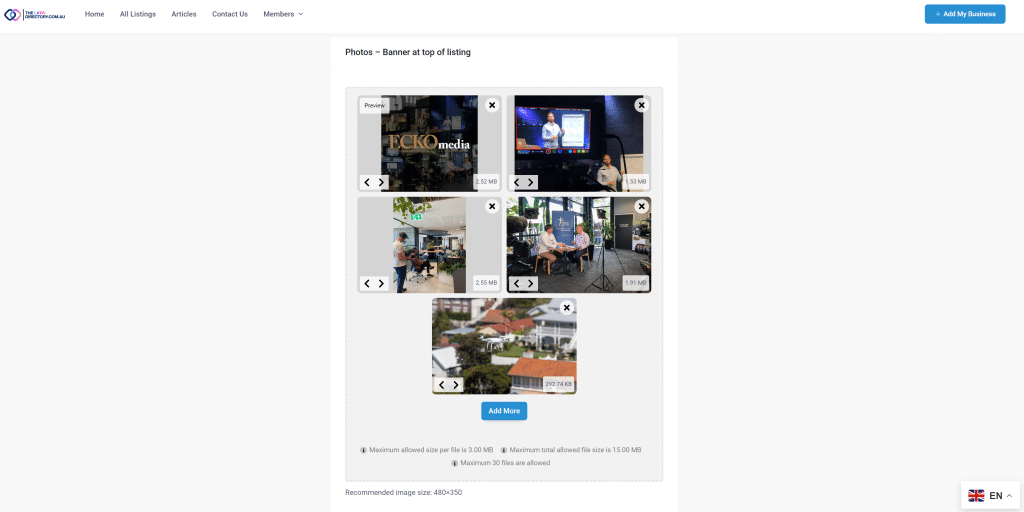
- Add 1 – 5 images for the top banner that will be displayed along the top of your listing in the image banner. The first image will also be used as the cover image that will display on all the smaller listing displays. We recommend you use the first image to include your logo.
- IMPORTANT: For best display, it is recommended that you use image sizes at 740×580 or a similar aspect ratio. Images will be cropped automatically so images not this size may not display correctly. Please don’t use portrait photos in the banner as these will not display correctly.
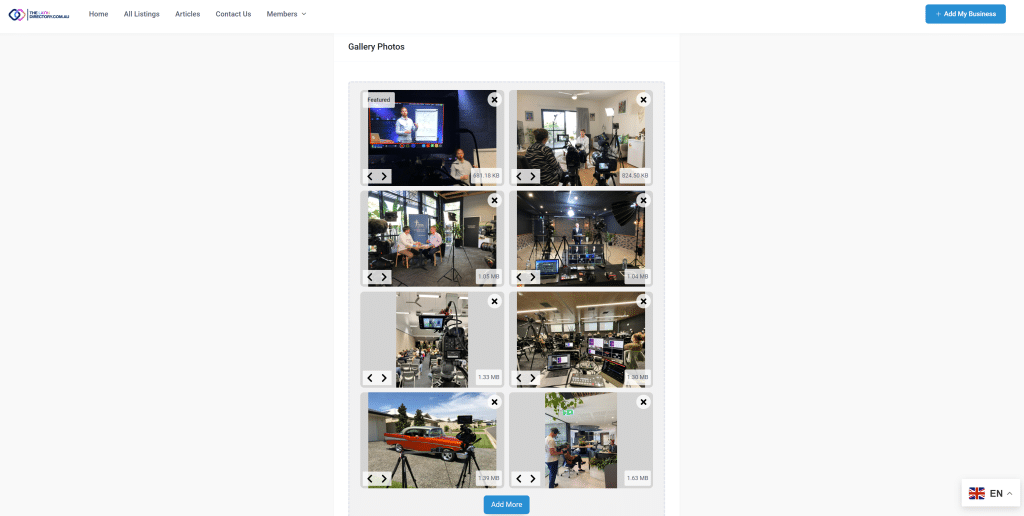
- If your package includes a gallery option, you can add additional photos here. All photo dimensions should be fine to display correctly in this section.
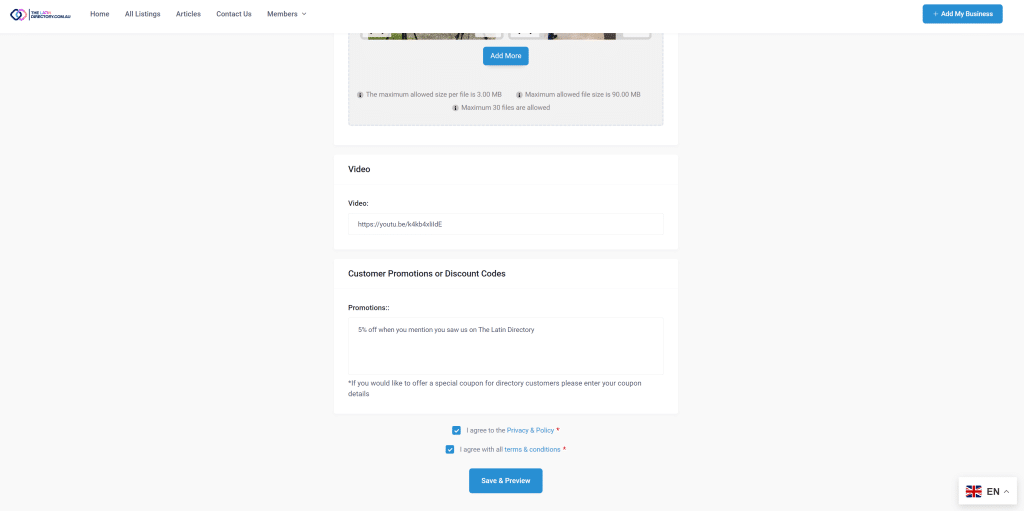
- If your package includes the video option you can add a youtube or vimeo video link here. (not available on all packages)
- If your package includes the discount promotion option you can add your discount details here. (not available on all packages)
- Tick 2 checkboxes to agree to the terms.
- Click “Save and Preview”
- IMPORTANT: Please be patient after clicking “Save & Preview”, it may take a little while to upload all the information. When the website is ready, you will be taken to the next screen.
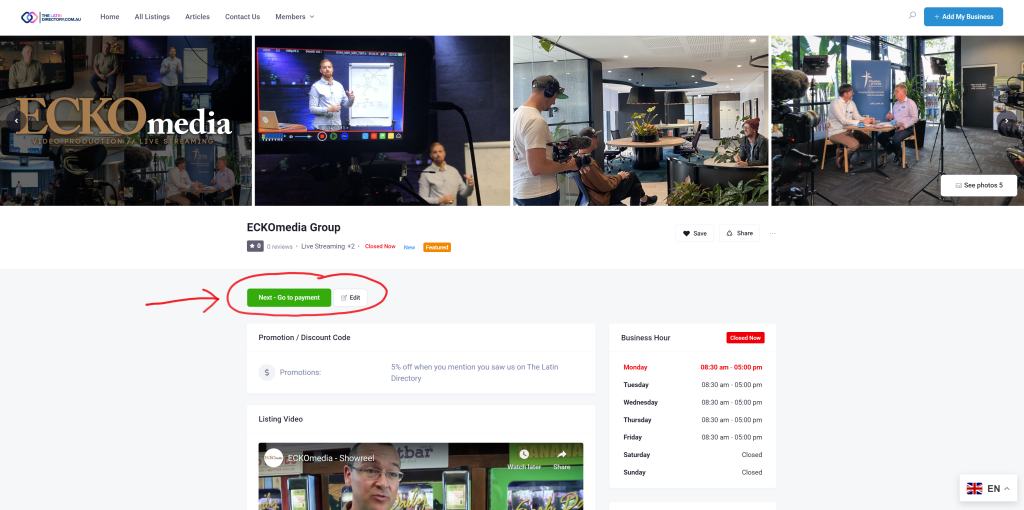
- Once your listing has been updated, you will then be able to review the information that has been added.
- IMPORTANT: Click the green “Next – Go to payment” button to proceed to the payment page.
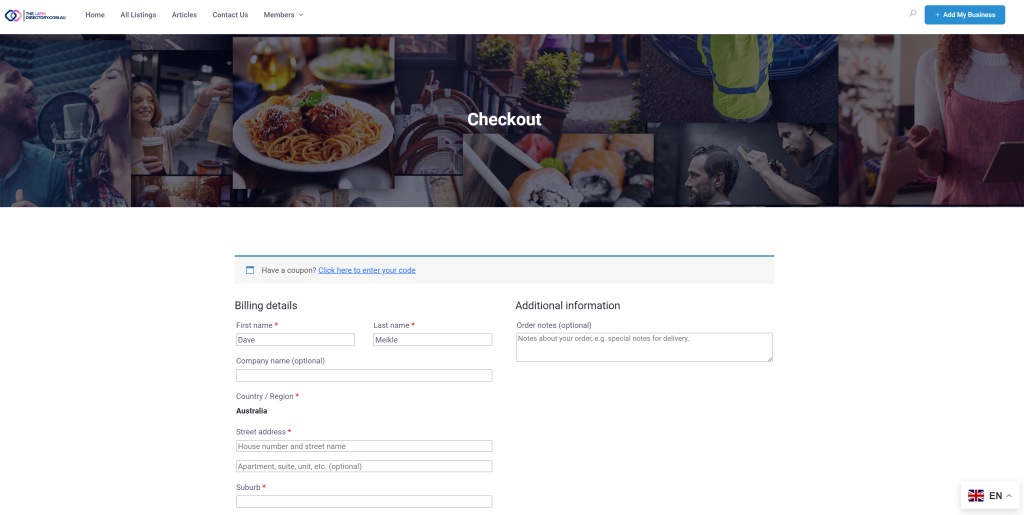
- Enter your billing information. If you have a coupon code, you can add this at the top of the form to apply it to your order.
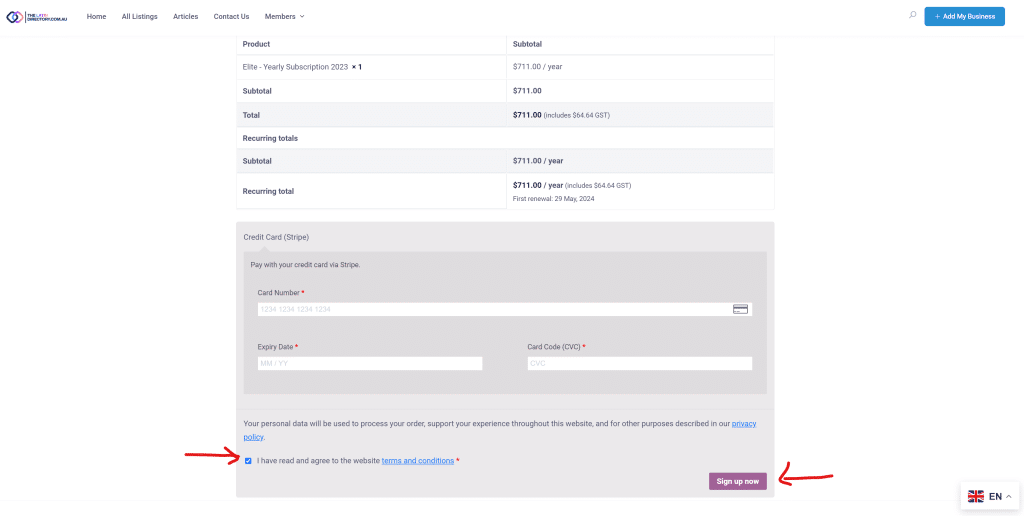
- Add your credit card information and click the checkbox to agree to the terms and conditions.
- Click the “Sign up now” button to proceed with the payment.
- IMPORTANT: Non-profit and community packages will not require credit card information at this stage.
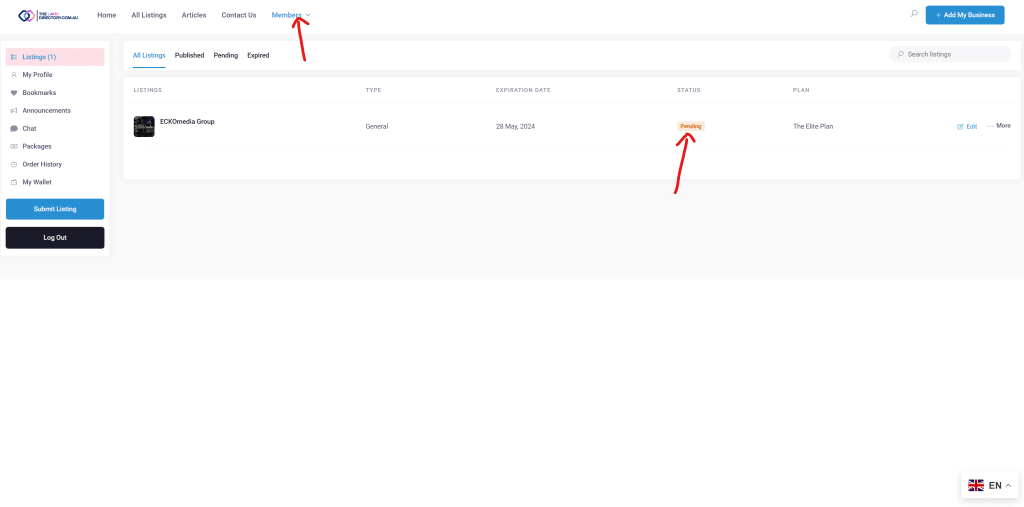
- Upon a successful transaction, your listing will be reviewed by our team for any errors and once it’s ready it will be published and available for the public to view.
- You can access your listing from your user dashboard. From here you can edit your listing, add extra photos or change details as needed.
- IMPORTANT: If you require any help with creating or editing your listing, please email us at hola@thelatindirectory.com.au and our support team will help you.